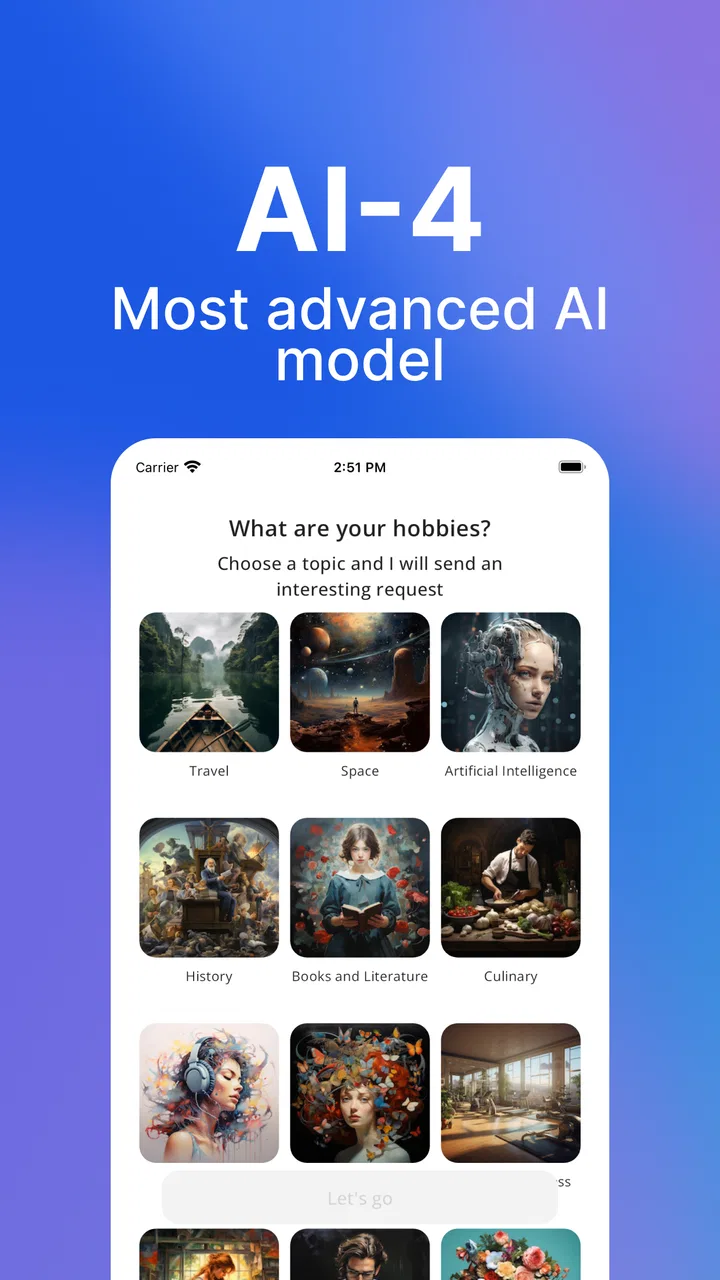
Ask AI ChatBot: Assistant Chat
- 4.5
- Rating
- 1.00M
- Installs
- Free
- Price

 Analysis by App-foxy
I tested Ask AI ChatBot: Assistant Chat as a practical productivity companion rather than treating it like a novelty toy. The basic idea is simple: you type a question or request, and the app uses an AI chatbot powered by ChatGPT and GPT-4 to produce a response. In everyday use, that can mean drafting a message, reorganizing a messy idea, explaining a difficult topic, or helping a household decide how to handle a small shared task.
What makes this app interesting is not just that it can answer questions. The more useful question is whether it fits the way people actually share phones, tablets, and responsibilities at home. I found that it can be handy when several people need quick help from one device, but it also demands sensible boundaries. An AI response is a starting point, not a final authority, and that matters even more when children, private information, schoolwork, health concerns, or family decisions are involved.
How it works when several people share one device
A realistic household example is a parent preparing dinner while a child needs help understanding a science term and another adult wants to rewrite a short message to a landlord. Passing the device around, each person can ask a separate question and get an answer without opening a full research workflow. That convenience is the strongest reason I would keep an app like this available on a shared tablet.
You May Also Like

 Blood Strike: 2.5 Anniversary
Blood Strike’s Loadouts Turn Every Drop Into a Tactical Gamble
A close look at Blood Strike’s custom loadouts: how fast access to signature weapons reshapes its battle royale rhythm, rewards preparation, and narrows the gap between fights.

 Pandora - Music & Podcasts
Pandora’s Music Is Easy to Start, but Harder to Recover
Pandora’s strength is its low-effort path from a seed to a station. Its weak spot is how much confidence it asks you to place in connection, setup, and quiet recovery.

 8 Ball Pool
 Is Built on Rivalries, Rematches, and Routine
A close look at the rivalries, rematches, shared routines, and unanswered safety questions that turn a quick pool match into a persistent mobile community.

 Samsung Music
’s Quiet Strength Is Playing What You Already Own
Its reach comes less from spectacle than from dependable access to a personal library. That simplicity is both the app’s strongest retention engine and its ceiling.

 AccuWeather: Weather Radar
AccuWeather Review: A Quick, Clear Forecast for Everyday Decisions
For everyday plans, the best forecast is the one you can understand quickly. AccuWeather makes rain timing, radar, and local conditions easy to act on, with a few trade-offs.

 Hill Climb Racing
Why Hill Climb Racing Still Turns Crashes Into One More Run
A tiny car, a bumpy hill and one more upgrade: Hill Climb Racing keeps resurfacing because its simple chaos makes every near-miss feel personal.
More From Our News Desk



The experience is most effective when the request is clearly framed. Instead of typing “help with dinner,” I would ask for three inexpensive vegetarian meal ideas using the ingredients already available, then ask the assistant to turn the chosen idea into a short shopping checklist. The first response may be broad, but follow-up prompts can narrow the result. This conversational approach feels more natural than repeatedly searching the web with disconnected phrases.
For household coordination, I also found value in asking the chatbot to turn scattered notes into an organized plan. A family member can paste a rough list of errands and request grouping by location or urgency. Another person can ask for a polite version of a message about changing an appointment. These are small jobs, but they remove friction from tasks that often remain unfinished because nobody wants to word them carefully.
The important limitation is that a shared device does not automatically create separate personal spaces. I would not treat one conversation history as a private diary, family account, or secure document cabinet. Before handing the device to someone else, I would review what is visible and avoid leaving sensitive material in the chat. That is a practical boundary, not a criticism of the writing quality.
What I would use it for at home
My favorite use is transforming information from one form into another. A long note can become a concise checklist. A complicated explanation can become a version suitable for a younger reader. A rough paragraph can become a friendlier message without losing its main point. These tasks show the app’s value more clearly than asking random trivia questions, because the result can be used immediately.
It can also help with planning conversations. If I need to discuss a household budget, divide chores, or explain a schedule change, I can ask for neutral wording and several possible approaches. I still decide what to say, but the assistant can expose assumptions or suggest a structure. In a tense situation, that can be useful because it encourages me to separate facts, requests, and emotions before sending anything.
For learning, I would use it as a patient explainer. A student can ask for an analogy, a simpler definition, or a few practice questions based on a topic. The best workflow is to request an explanation first, then ask the assistant to quiz the learner without immediately revealing the answer. That turns the conversation into active practice instead of passive copying.
There is a trade-off here. The easier it becomes to produce a finished paragraph, the easier it is for a student to skip the thinking that the assignment is meant to develop. I would encourage children to ask for hints, examples, or feedback on their own draft rather than requesting a complete submission. The app can support learning, but the prompt determines whether it becomes a tutor or a shortcut.
Setting boundaries before anyone starts typing
Because Firehawk presents this as a general productivity app, I would establish simple household rules before sharing it. Nobody should enter passwords, payment details, private medical records, confidential work documents, or another person’s personal information. Even when a request seems harmless, combining names, addresses, schedules, and sensitive circumstances can create a level of detail that does not belong in a casual chatbot conversation.
I would also make it clear that the assistant should not make important decisions for the family. It can help compare options or prepare questions for a professional, but it should not replace a doctor, teacher, lawyer, financial adviser, or emergency service. A confident-sounding answer can still be incomplete or wrong. When the consequences matter, I would verify the response elsewhere before acting.
Another useful boundary is separating brainstorming from confirmation. Asking for ideas for a weekend activity is low risk. Asking whether a medication combination is safe is a different situation entirely. The wording may look similar on screen, but the responsibility is not. I would teach younger users to say when they are unsure and to show an adult any answer involving safety, health, strangers, money, or personal contact.
On a shared device, I would avoid treating the chat as a permanent household record. If someone uses it to draft a private message or discuss a personal problem, the next user should not casually browse through that conversation. The app may be convenient for shared tasks, but convenience should not erase ordinary respect for personal boundaries.
The free price makes it easy to try without committing money at the outset. However, the app includes in-app purchases ranging from $0.99 to $99.99 per item, so I would check the purchase settings before allowing children to use the device. The presence of optional paid items does not make the app unsuitable, but it does mean that “free to install” should not be confused with “impossible to spend money.”
Coordinating chores, plans, and messages
One of the less obvious strengths is how well a chatbot can act as a neutral formatting layer between family members. Suppose one person sends a disorganized list of school activities, appointments, and errands. I can ask the assistant to sort it by day, identify missing details, and phrase follow-up questions. It does not create a shared family calendar from that request, but it can make the information easier for someone to transfer into the tool the household already uses.
I would use the same approach for chores. Rather than asking for a generic chore chart and accepting whatever appears, I would provide the actual tasks, the available days, and any constraints. Then I would ask for a fair rotation and a version short enough to print or paste into a group message. The value is in reducing the mental effort of organizing the list. The family still needs to agree that the arrangement is fair.
For messages, the app is particularly useful when tone matters. A short request can sound demanding even when that was not intended. I can ask for a version that is direct but respectful, or one that sounds warmer without becoming vague. I would always read the result aloud before sending it, because AI-generated politeness can sometimes feel unnatural or include promises I did not mean to make.
A practical coordination trick is to ask for alternatives rather than one “perfect” answer. For example, I might request a brief version, a friendly version, and a firm version of the same reminder. Comparing them makes it easier to choose the right tone and notice what information is missing. This is more reliable than copying the first polished paragraph that appears.
The app is less suitable when coordination requires live updates, permissions, reminders, or a dependable record of who agreed to what. A dedicated calendar, notes system, task manager, or family messaging group is better for those jobs. Ask AI ChatBot can prepare the content, but it is not a replacement for a system designed to track responsibilities over time.
Age, trust, and the limits of an AI answer
The content rating is Everyone, which makes the app broadly accessible in age terms. I would still distinguish an Everyone rating from an automatic guarantee that every answer is appropriate for every situation. A child can ask a question that leads into a complicated or sensitive subject, and an assistant may respond in a way that needs adult explanation.
For younger users, I would position the app as a question helper used with guidance. Prompts such as “explain this in simple language,” “give me a hint,” or “show me how to check my answer” encourage better habits than “do my assignment.” I would also ask the child to compare important facts with a textbook, teacher, or trusted adult. That makes the chatbot one tool in a learning process rather than the final judge.
Trust should be earned task by task. I am comfortable using generated text as a first draft for a shopping list or a casual message. I am much more cautious with legal wording, medical information, financial decisions, identity questions, and claims about current events. The app’s access to ChatGPT and GPT-4 may produce fluent answers, but fluency is not proof of accuracy.
A useful family habit is asking the assistant to state assumptions and identify what should be checked. For a travel plan, that could mean asking which details depend on opening hours or local rules. For a school explanation, it could mean requesting a short list of terms to verify. This does not guarantee a correct answer, but it makes the user less likely to mistake a smooth response for a complete one.
I would also discourage users from sharing someone else’s story without permission. Rewriting a message is fine when the details are general. Pasting a friend’s private situation, a child’s identifying information, or a colleague’s confidential text crosses a line. The safest shared-device approach is to remove names and unnecessary details before asking for help.
Performance, version, and everyday practicality
At the time of writing, the app is on version 2.1.5 and supports devices running Android 8.0 or later. That makes it accessible to many existing Android phones and tablets rather than limiting it to recent hardware. I would still expect the smoothness of typing, switching between conversations, and handling longer prompts to depend on the device and connection, so an older shared tablet may feel less comfortable than a newer phone.
Ask AI ChatBot has reached more than a million installs and holds an average rating of 4.5 from roughly forty-nine thousand ratings. Those figures suggest that the basic experience has found a substantial audience, while the rating indicates generally positive reception. I would not read that as proof that every answer will suit every user; chatbot quality depends heavily on the request, the context supplied, and how carefully the response is checked.
The app is free to start, which is helpful for families who want to test the workflow before deciding whether it belongs in their routine. The paid items deserve attention, especially on a device used by several people. I would make sure everyone knows that a more advanced or extended use may lead to a purchase prompt, and I would not let a child experiment with those options unsupervised.
Compared with a normal search engine, the main advantage is conversation. I can ask for a rewrite, request a simpler explanation, and refine the result without rebuilding the search from scratch. A search engine remains better when I need primary sources, official pages, current availability, exact citations, or several independent viewpoints. For household decisions, I often use both: the chatbot to organize the question and conventional search to verify the important facts.
Compared with a standard notes app, this tool is better at turning rough input into structured language, but worse at being a dependable long-term archive. Compared with a dedicated task manager, it is more flexible for planning and wording, but it does not replace explicit ownership, reminders, and progress tracking. Those differences help define its proper role: an intelligent drafting and thinking aid, not the household’s central operating system.
Who will appreciate it, and who should skip it
I would recommend it to people who regularly need help turning thoughts into usable text. Students can use it for explanations and practice prompts. Parents can use it to prepare neutral messages, meal ideas, or organized lists. Adults who dislike writing can use it to create a first draft and then edit it into their own voice. The app is especially convenient when the request is specific and the user is willing to review the result.
I would be more cautious recommending it to someone who wants guaranteed factual answers without checking them. It is also not the right primary tool for a household that needs shared permissions, a visible task history, automatic reminders, or strict separation between family members. A dedicated productivity service will be more dependable for those requirements.
People who are uncomfortable with optional in-app spending should also review the device’s purchase controls before installing it. The free entry point is appealing, but a shared phone creates a different risk profile from a personal device. Clear rules and adult supervision matter more than the app’s simple interface.
Finally, I would skip it for high-stakes questions where an incorrect answer could cause harm. In those situations, use a qualified professional or an official source first. The chatbot can help prepare a list of questions, summarize information you already trust, or make a complicated explanation easier to read, but it should remain in a supporting role.
My household verdict
After using Ask AI ChatBot: Assistant Chat, I see it as a flexible helper for drafting, explaining, and organizing rather than a complete productivity system. Its strongest household role is helping people move from a vague request to a clearer next step: a message that can be sent, a list that can be checked, a topic that can be studied, or a plan that can be discussed.
The app comes from Firehawk, belongs in the productivity category, and is available free of charge with optional in-app purchases. Its Everyone content rating and broad Android compatibility make it easy to introduce in a family setting, but those facts do not remove the need for supervision, privacy awareness, and purchase boundaries.
My recommendation is straightforward: try it for low-risk, everyday tasks and judge it by the time it saves you. Ask for alternatives, provide useful context without revealing private details, and verify anything important. The best results come when the chatbot prepares the work and a person remains responsible for the decision. Used that way, it can earn a useful place on a shared device without pretending to be a calendar, a tutor, a professional adviser, or a substitute for good judgment.
FAQs for Ask AI ChatBot: Assistant Chat
01What features does Ask AI ChatBot: Assistant Chat offer?
Ask AI ChatBot: Assistant Chat provides a wide range of features, including natural language processing, context-aware responses, and multi-language support. Users can have engaging conversations, ask questions, and receive quick and accurate answers. The app also integrates with various services, enhancing its utility as a personal assistant.
02Is Ask AI ChatBot: Assistant Chat available on both Android and iOS?
Yes, Ask AI ChatBot: Assistant Chat is available for download on both Android and iOS platforms. This cross-platform availability ensures that users can enjoy seamless interactions on their preferred devices, whether they use a smartphone or tablet.
03How does the app ensure user privacy and data security?
Ask AI ChatBot: Assistant Chat is designed with user privacy in mind. It employs robust encryption protocols to protect data and ensures that conversations are confidential. The app does not store any personal information on its servers, adhering to strict privacy standards and giving users peace of mind.
04Can the AI ChatBot learn and adapt over time?
Yes, the AI ChatBot is equipped with machine learning capabilities that allow it to learn from user interactions. Over time, it becomes more personalized and accurate in its responses. This adaptability makes it a more effective and user-friendly assistant, improving the overall user experience.
05Are there any costs associated with using Ask AI ChatBot: Assistant Chat?
Ask AI ChatBot: Assistant Chat offers a free version with basic features, making it accessible to all users. However, there may be premium options available for those seeking advanced functionalities. These in-app purchases allow users to enhance their experience with additional features and customization options.
Pros
- Intuitive and user-friendly interface.
- Fast response times for queries.
- Supports multiple languages.
- Customizable chat themes.
- Seamless integration with other apps.
Cons
- Requires constant internet connection.
- Occasional irrelevant responses.
- Limited free version features.
- Ads in the free version.
- High battery consumption.

Ask AI ChatBot: Assistant Chat
Gallery